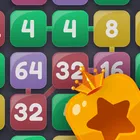
About The 2048 Game
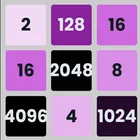
This take on the sliding number puzzle packs several ways to play into a build of just 2.9 MB, so nothing is wasted on filler. Alongside the classic grid you get a Power-Up mode, an Undo mode, and an AI Auto Play mode that plays the game for you to watch, all wrapped around a scoring setup that ties into Google Play Games leaderboards and achievements.
Five Ways to Play the Board Power-Up mode adds a twist to the standard merge-and-climb loop, while Undo mode lets you take back a move and rethink the slide you just made instead of starting over. When you want a break from deciding anything yourself, AI Auto Play runs the board so you can study how a machine keeps tiles in the corners and preserves open space.
Leaderboards and Achievements Progress is tracked through Google Play Games, so scores land on leaderboards and milestones are recorded as achievements. Chasing a personal best has a visible target, whether you are grinding the classic mode or experimenting with the newer ones.
Controls, Dark Mode and Settings Touch sensitivity has been tuned so swipes register cleanly, which matters when a single misplaced slide ends a run. A dark theme keeps late sessions comfortable, and the settings menu has been reworked so gameplay options are quicker to reach and adjust.
The whole package runs on Android 7.0+ and is light enough that storage is unlikely to be the reason you think twice before installing.
File Information
- Version
- 4.0.0
- Size
- 2.9 MB
- Android
- 7.0+
- File type
- XAPK
- Updated
- Oct 13, 2026
- Package
- in.ruks.the2048game
- Developer
- Rajeev Kumar Singh
- Content rating
- Everyone
Screenshots
Frequently Asked Questions
Does this app include more than the standard sliding number puzzle?
Yes. Alongside the classic mode it offers a Power-Up mode, an Undo mode that lets you reverse a move, and an AI Auto Play mode where the AI plays the board for you to watch. Each mode is selectable so you can switch depending on whether you want a challenge, a second chance, or just to observe play.
Will the swipes register reliably on my screen?
Touch sensitivity controls have been improved in the latest update so that swipes are picked up more reliably. This matters in a grid puzzle where one misread slide can end a run. Settings have also been reworked, so you can adjust the gameplay and control options to suit how you hold the device.
Can I compete with other players or just track my own score?
Both. Google Play Games leaderboards let you compare your scores against other players, and Google Play Games achievements record milestones as you reach them. If you simply want to chase and beat your own best score, the classic mode supports that too.
How large is the app and will it run on an older phone?
The build is 2.9 MB, so it takes up very little storage. It requires Android 7.0 or newer, so anything running that version or above should install it; newer devices are covered as well. Performance and stability improvements were part of the most recent update.
Is there a night-friendly display option?
Yes, a dark mode is available, which makes long evening sessions easier on the eyes. Combined with the adjustable touch sensitivity and reworked settings, the app lets you settle the display and control preferences before you start chasing a leaderboard position.