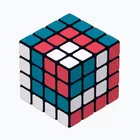
About Rubik Cube Solver and Guide
Few puzzle helpers let you type in a scrambled cube and then learn the method behind the fix in one place, and this one keeps its colour entry deliberately neutral so every session starts the same way. It pairs a cube solver with a guide, aimed at people who want to follow along and understand the turns rather than only read off an answer.
Painting a cube from scratch When you enter a cube by hand, the app opens on a blank grey cube and asks for the standard colour set every single time, so no colours carry over from an earlier session. You build the pattern face by face, and because the starting point is always the same neutral state, mistakes are easier to spot before you commit them.
Solver and guide in one flow Once the colours are in, the solver works out the path and the guide walks you through it, which is useful if you are trying to pick up the method instead of just checking a result. Reading the turns alongside an explanation turns each solve into a short practice session, and the pairing keeps you from jumping between a solving tool and separate instructions.
A puzzle tool you can keep on hand The whole package sits in a modest install, and it is rated suitable for everyone, so it works as a casual desk companion as well as a learning aid. Leave it installed and you can revisit a tricky scramble whenever one turns up.
File Information
- Version
- 2.0.5
- Size
- 83.6 MB
- Android
- 7.0+
- File type
- XAPK
- Updated
- Oct 15, 2026
- Package
- com.ezhub.rubikcube
- Developer
- EzHub
- Content rating
- Everyone
Screenshots
Frequently Asked Questions
Will this run on a phone that is a few years old?
The app lists Android 7.0+ as its requirement, so anything running that or newer devices should open it without trouble. If your handset has been updated at some point in its life, chances are it clears that floor comfortably.
How much storage should I set aside for it?
The install weighs in at 83.6 MB, so free up a little over that to leave room for the app to run normally. It is a single package rather than a huge download, and there is no separate content to fetch afterwards.
What do I actually do inside the app?
You paint in a scrambled cube by hand and then follow the solver and guide together. The solver works out the turns needed, and the guide explains them, so you can either just finish the cube or use the walkthrough to learn the method.
How do I enter my own scrambled cube?
Hand painting starts from a blank grey cube and asks for the standard colours each time, so you always begin from the same clean state. You fill in what you see on your physical cube, and nothing from a previous entry is left behind to confuse the pattern.
Which release is currently listed?
The version on this page is 2.0.5, dated 2026-10-15. If you are checking an install you already have, compare it against that number to confirm you are running the same build described here.