About Pixel Art
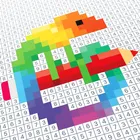
Pixel Art turns numbered grids into finished pictures one tap at a time, and unlike most entries in the puzzle category it needs no connection at all, so a plane ride or a quiet evening is enough to start a new piece. Every canvas is built from individual cells you fill by color, and the pleasure comes from watching a crisp, stylized image snap into focus as you go.
Single Player, Offline Anytime Because the whole experience runs on your device, you can pick up a half-finished picture whenever you have a spare moment, pause mid-row, and return later without losing progress. There are no opponents to schedule around and no waiting on a connection, which suits a game you play to unwind rather than to compete.
Coloring as a Calming Ritual The pixelated style keeps each image simple enough that the work stays relaxing: select a shade, tap through its cells, and move to the next. The repeated rhythm of matching numbers to colors is deliberately slow and steady, making it easy to settle into a session for a few minutes or much longer.
A Catalog of Stylized Images Patterns range across a broad set of subjects rendered in flat, blocky color, so the gallery stays fresh as you browse for something new to complete. Filling a picture also doubles as a keepsake, a piece you built cell by cell rather than simply looked at.
Made to Run Smoothly The build is tuned for steady performance on handsets meeting the required Android 8.0+, with newer devices handling larger images comfortably, and it occupies 189.1 MB of storage space on your phone.
File Information
- Version
- 10.10.0
- Size
- 189.1 MB
- Android
- 8.0+
- File type
- XAPK
- Updated
- Sep 11, 2026
- Package
- com.europosit.pixelcoloring
- Developer
- Easybrain
- Content rating
- Everyone
Screenshots
Frequently Asked Questions
Does this puzzle game work without an internet connection?
Yes. The app is tagged as offline and single-player, so coloring sessions run entirely on your device. You can open it on a flight, on a commute, or anywhere without signal and keep filling in pictures; nothing about the core coloring flow depends on being connected.
How much room should I make free before installing Pixel Art?
The download occupies 189.1 MB, so leave at least that much free space available, plus a little extra for the app to write its data once installed. It is worth checking your storage first if you are close to your limit.
Which devices can run this app?
The game needs Android 8.0 or newer to install. Devices running a more recent release of Android also work, since the requirement is a minimum rather than a cap. If your phone is on an older build, the install will not be offered to you.
What exactly do I do in each level?
Each picture is a grid of numbered cells, and you fill in the cells that match a selected color until the image is complete. It sits in the puzzle category but plays like coloring: matching, tapping, and progressing through stylized pixelated artwork at your own pace.
Which version is currently listed, and what changed in it?
The current release is 10.10.0. Its listed changes cover performance and stability improvements, and the developers invite feedback and improvement suggestions through reviews so they can keep refining the experience.