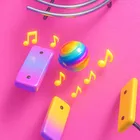
About Marble Music
Marble Music turns rhythm into something you can build as well as play. Where most music games hand you a fixed track list and ask you to tap in time, this one hands you the level editor from the very first day and lets you share what you make with everyone else. Bouncing balls, beats and handcrafted stages come together in a package that keeps growing through its own community.
A Level Editor Anyone Can Use
The editor is unlocked for every player, not held back as a premium extra. That means you can lay out your own stages, shape them around a track and then put them up for other players to try. Designing a level is a different kind of musical thinking: you are deciding when the beat arrives and how the balls should answer it, so a good stage feels composed rather than just constructed.
Community Levels With Real Controls
Because levels come from other players, the game gives you a way to deal with the ones you would rather not see. From the menu attached to any community level you can report it, or block the person who made it entirely. Blocking a creator takes their levels out of your experience, so your feed stays filled with the kinds of stages you actually enjoy.
A Cleaner Look Throughout
The whole interface has been refreshed, with reworked menus, buttons and lists that make navigating your library, the editor and community content quicker. Recent work also concentrated on stability, smoothing out bugs and improving performance so longer sessions on busier levels stay responsive.
File Information
- Version
- 3.1.6
- Size
- 526.7 MB
- File type
- XAPK
- Updated
- Oct 26, 2026
- Package
- com.creativetechnology.beatbounce
- Developer
- Cihad Turhan
- Content rating
- Everyone
Screenshots
Frequently Asked Questions
Can I build my own levels in Marble Music?
Yes. The level editor is open to every player from the moment you install the app, with no separate unlock required. Once you have made a stage you can share it so other players can try it, and browse levels created by the community in return.
What can I do if I do not like a community level?
Open the menu marked with an ellipsis on that level and you have two options: report the level, or block the person who created it. Blocking a creator removes their levels from what you see, so the community content you browse stays closer to the kind of stage you enjoy.
Is this game suitable for younger players?
It carries a content rating of Everyone, which reflects the beat-based bouncing gameplay and the community-shared levels. Community content is created by other players, and the in-game reporting and blocking options give you direct control over what appears.
Who develops Marble Music and how big is it?
The game is developed by Cihad Turhan and the current build is 3.1.6, dated 2026-10-26. Installation files are around 526.7 MB, so it is worth confirming you have that much room available before installing.
What is included in the most recent update?
The latest release refreshed the interface with redesigned menus, buttons and lists, opened the level editor to all players from day one, and added the ability to report a community level or block its creator from the level menu. It also includes bug fixes and performance improvements.