About Mahjong Nines - Tile Solitaire
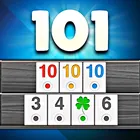
Mahjong Nines - Tile Solitaire brings nine separate Nines games together in one board package, so a single install covers a whole family of tile solitaire variants instead of one fixed layout. Its defining trait is a genuine choice of presentation: a refreshed look or the original one, selectable from the very first launch and interchangeable whenever you like.
Pick your look the moment you open it
On first launch the app asks whether you want the new look or the classic look, so you are never stuck with a default you did not choose. If you change your mind later, Settings > Look lets you swap styles at any time without reinstalling.
Both looks run all nine games
Whichever skin you pick, the whole package travels with it: every one of the nine games, the rankings and online play are available in both. Nothing is reserved for one style, so switching presentations does not cost you a mode, a matchup or your standing.
Tile movement sounds stay classic
Moving tiles now produce the same sound as the classic look regardless of which style is active, so the tactile feedback of play feels identical whether you run the refreshed interface or the original boards.
Online matches and rankings in either style
With online competition and rankings built into both presentations, you can jump straight into a match and check your position without first settling on how the app should look.
File Information
- Version
- 3.1.1
- Size
- 78.6 MB
- Android
- 7.0+
- File type
- XAPK
- Updated
- Oct 16, 2026
- Package
- com.tomople.nines
- Developer
- tomople
- Content rating
- Everyone
Screenshots
Frequently Asked Questions
What kinds of play does this board game offer?
It is a tile solitaire package built around the Nines family, containing nine separate games in total. Alongside solo play you get online matches against other players and a rankings system that records how you measure up, all grouped under a single board-games title rather than spread across separate apps.
Can I switch between the new appearance and the classic one after installing?
Yes. You choose between the new look and the classic look when the app first launches, and you can change your mind at any time afterwards through Settings > Look. The classic style restores the original home screen, boards, tiles and app icon, and switching does not require a reinstall or a fresh start.
Do rankings and online play work in both looks?
They do. All nine games, the rankings and online play are fully functional in both the new look and the classic look, so choosing one style never limits which features you can use. You can move between the two presentations freely and keep access to the same games and competitions.
How much space should I keep free for the app?
The file is 78.6 MB, so leave room for that download plus whatever extra space the installation process needs on your device. Beyond that, no additional storage demands are described for the app, and nothing else has to be downloaded separately to get the nine games, rankings and online play running.
Which phones can run this build?
The build requires Android 7.0 or newer, and devices running a later system release are also suitable. Beyond that system version, no special hardware is called out, and the package is modest in size at 78.6 MB, so it should install comfortably on a broad range of phones and tablets.