About LetterSchool
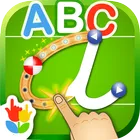
LetterSchool turns the alphabet into a hands-on writing workshop, where children trace, draw and learn letter shapes rather than simply matching flashcards. What sets it apart is its multilingual approach: families can download and switch between twelve different languages, so a child can practise letters in one language while the menus stay in another.
Twelve Languages To Choose From The app ships with the option to download twelve languages and swap between them whenever you like. On top of that, learning language and menu text are separate settings, which means a bilingual household can keep the app navigable for a parent who reads a different language than the child does.
A Menu Built For Switching Mid-Play Changing the language does not require restarting a session. The menu that lets you adjust both your learning language and your menu text is available while you are playing, so a parent can correct a setting or hand the device over without losing the child's place in the activity.
Lightweight Learning On Modern Devices As an educational title rated for Everyone, it is aimed at young learners and the adults guiding them. The build is a download of 100.8 MB and needs Android 10.0+, with newer devices handled automatically, and the most recent update folded in routine bug fixes and performance improvements alongside the language options.
File Information
- Version
- 3.0.1
- Size
- 100.8 MB
- Android
- 10.0+
- File type
- XAPK
- Updated
- Oct 16, 2026
- Package
- com.letterschool.lite
- Developer
- Letterschool Enabling Learning
- Content rating
- Everyone
Screenshots
Frequently Asked Questions
How many languages can my child learn letters in?
The app offers twelve different languages that you can download and switch between. You can set the learning language separately from the menu text language, so the letter practice and the interface controls do not have to match.
Can I change the language without restarting what my child is doing?
Yes. A menu inside the app lets you change both your learning language and your menu text while you are playing, so you can adjust settings mid-session rather than backing out and starting over.
What device do I need to run LetterSchool?
The app requires Android 10.0 or newer. Any device running a more recent version of Android should also work, provided it has enough free space for the 100.8 MB download.
Who is this app designed for?
It is an educational app for learning letters, rated Everyone, so it is suitable for young learners as well as the parents or teachers guiding them. The separate menu language setting also makes it practical in bilingual homes and classrooms.
Did the latest update add anything new?
Version 3.0.1, released 2026-10-16, added the option to download and switch between twelve languages and a menu for changing the learning language and menu text during play. It also includes bug fixes and performance improvements.