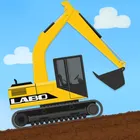
About Labo Construction Truck : Kids
Labo Construction Truck : Kids turns the machines on a building site into a playful learning space, where children dig, haul and lift their way through short guided tasks instead of watching clips passively. It separates itself from typical children's fare by tying every truck to a small goal, so each tap has a purpose and each finished job feels like an achievement.
Vehicles children get to put to work
Digging, hauling and lifting machines each take a turn on the site, and children see how one job leads into the next until the build is complete. Watching a loaded truck cross the yard or an arm swing into place helps little players connect cause and effect with the words they are hearing.
Made for small hands and short attention spans
The controls are simple enough for toddlers and preschoolers to drive without a parent hovering, and a session can last two minutes or twenty. The app carries an Everyone content rating, so handing over the device during a waiting room visit stays a stress-free choice.
A light install for the family tablet
At 70.8 MB it sits comfortably alongside photos and other games without eating the whole gallery folder. It arrives from Labo Lado Co., Ltd. and runs on Android 6.0+, staying compatible with newer devices as well.
File Information
- Version
- 1.0.199
- Size
- 70.8 MB
- Android
- 6.0+
- File type
- XAPK
- Updated
- Nov 28, 2025
- Package
- com.laboladoapp.labo_engineering_vehicle
- Developer
- Labo Lado Co., Ltd.
- Content rating
- Everyone
Screenshots
Frequently Asked Questions
What will my child actually do inside Labo Construction Truck : Kids?
It is an educational app built around construction trucks, listed in the educational category and aimed at young children. Kids work through simple, guided activities involving the digging, hauling and lifting machines found on a building site, tapping and dragging as each vehicle does its job. The focus is playful learning rather than free-form sandboxes or passive video, so children finish a small task, see the result, and move on to the next one.
How much room should I clear before installing it?
The download comes in at 70.8 MB, so you will want roughly that much free space on the device, plus a little extra breathing room for the install itself. It is a modest size for an app of this kind, which means it should sit alongside a few other children's apps, photos and everyday tools on a family tablet without forcing anyone to delete things first.
Which devices are able to run this app?
The build requires Android 6.0 or higher, and it also works on newer devices, so most phones and tablets currently in family use should have no trouble. If your device has been updated within the last several years you are very likely covered. For the smoothest experience, install it on a device with the required system version or above rather than an older handset stuck on a much earlier update.
What changed in the most recent release?
The 1.0.199 build, dated 2025-11-28, concentrates on minor bug fixes and general improvements rather than new content. In practice that means small stability and performance corrections, so updating to the latest version is the recommended route for the best experience. Existing saves and progress are not the focus of this release, which stays focused on polishing what is already there.
Is this suitable for a very young child to use alone?
Yes, the app carries an Everyone content rating and is written for kids in the educational category, so the material is appropriate for family use. The activities are short and goal-driven, which suits short attention spans, and the controls are designed for small hands. Parents can still sit alongside younger players to help with the first few tasks before letting them explore the construction site on their own.