About EasyGo
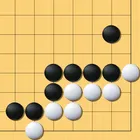
EasyGo brings the KataGo engine together with a complete study workflow, so playing, reviewing and drilling problems all happen in one place. Rather than offering a bare board against a fixed opponent, it keeps a personal library of problems and games that you can label, schedule and revisit as your reading improves.
KataGo AI Play When you play the engine you can try a move on the board before committing to it, previewing the stone placement and then dragging and releasing it where you want it. Refreshed engines and models give the opponent more to work with, and while you replay a sequence you can flag the bad moves inside your variation trees to see exactly where the line fell apart.
Problems, tags and SRS progress Every problem and saved game can carry your own tags, so a life and death set stays separate from the opening positions you intend to revisit later. Spaced repetition records what you have drilled and what is due, and both the library and that review history can be backed up and restored, which makes moving to a new phone a matter of restoring rather than rebuilding.
Board and editor settings The board and editor carry additional options for setting up positions and adjusting how the game is displayed, so a teaching diagram, a full game record and a quick reading exercise can each look the way you need. Twelve languages ship with the app, including French, German, Russian, Spanish, Vietnamese, Italian and Brazilian Portuguese.
File Information
- Version
- 1.4.2
- Size
- 64.2 MB
- Android
- 7.0+
- File type
- XAPK
- Updated
- Oct 14, 2026
- Package
- com.jiaxiang.easygo
- Developer
- QiQi Studio
- Content rating
- Everyone
Screenshots
Frequently Asked Questions
What does EasyGo actually let me do with a Go board?
It covers playing, studying and reviewing in a single app. You can play against KataGo engines and models, work through a problem library with spaced repetition, record and edit games, and inspect variation trees where bad moves can be flagged for later review.
How much room should I keep free before installing?
The current build occupies 64.2 MB of storage, so leave a little more than that free to allow for the install itself. Any extra space is optional and would only matter if you keep a large personal problem and game library on the device.
Which phones and tablets will run it?
The app requires Android 7.0 or later, so anything running that release or a newer one is supported. It is rated Everyone, and the same library, tags and review progress carry across devices through the built in backup and restore.
Can I move my problems and SRS review history to a new device?
Yes. The library of problems and games and your spaced repetition progress can both be backed up and then restored, so a switch to new hardware does not mean starting your study record again. Tags you created are part of that library.
Which languages does the interface come in?
Twelve languages are included. Among them are French, German, Russian, Spanish, Vietnamese, Italian and Brazilian Portuguese, alongside the other languages bundled in the app, so study notes and menus can be read in the language you think in.
Does the AI play let me test a stone before I commit?
Yes. In AI Play you can preview a move and then drag and release it onto the board before it becomes final, which is useful for reading a sequence out against the engine rather than playing the first idea that comes to mind.