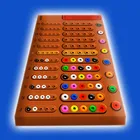
About Code Breaker
Code Breaker turns the classic peg-and-code Mastermind puzzle into a clean, single-screen logic trainer, and it ships two genuinely different rule sets rather than one board with a settings toggle. You are shown feedback pegs for each guess, and the real work is working out which position each of those clues actually belongs to. That extra layer of deduction is what separates this from the many straightforward guessing boards in the board-games category, and it is available under the package rc4812.android.logicthinkercode.
Classic Mode and Initiation Mode Classic Mode removes the shortcut most digital Mastermind ports quietly keep: the clue pegs are shuffled, so a red or white marker tells you that a colour is right but not where. You have to deduce the mapping yourself on every row. Initiation Mode restores the traditional arrangement, placing each clue directly opposite the pegs it judges, which makes it a gentler entry point and a useful warm-up before you return to the scrambled version.
Fix a Color Across Every Row Long-press a peg to lock that colour for the whole column of rows, so once you have committed to a slot you do not have to re-enter it on each new guess. It is a small interaction, but over a long solve it removes most of the repetitive tapping and keeps your attention on the deduction instead of on the keypad.
A Familiar Puzzle, Restated The app sits comfortably alongside crossword-style brain teasers for the same reason: the rules take a minute to learn and the solving never gets old. Colour-coded feedback, a readable board and no distraction-heavy presentation keep each session focused on pure elimination logic.
File Information
- Version
- 17.5
- Size
- 15.1 MB
- File type
- XAPK
- Updated
- Sep 30, 2026
- Package
- rc4812.android.logicthinkercode
- Developer
- RC4812
- Content rating
- Everyone
Screenshots
Frequently Asked Questions
What is the actual difference between Classic Mode and Initiation Mode?
In Classic Mode the position of each clue is randomized, so a clue does not sit beside the peg it refers to and you must work out which peg it belongs to. In Initiation Mode each clue sits directly beside the peg it judges, so feedback maps straight across the row. Learning on Initiation Mode and then switching is a good way to build up to the harder version.
How do I fix one colour in place for the whole board?
Long-press a peg to fix that colour across all rows. Once fixed, the colour stays applied to that column as you move on to later guesses, which saves you re-entering it row after row and lets you concentrate on narrowing down the remaining positions instead of repeating input.
How large is the app file?
The app is 15.1 MB, which is small for a board game and leaves plenty of room on most phones. It is a lightweight package focused on a single puzzle type rather than a bundle of games and media, so storage should not be a barrier to installing it.
What age group is Code Breaker aimed at?
It carries a content rating of Everyone, so it is suitable for children as well as adults. The gameplay is deduction based rather than reflex based, with no timers, violence or chat features, which makes it a calm option for family play or for anyone who enjoys a logic puzzle.
Who publishes this game and what is its latest build?
Code Breaker is published by RC4812 under the package name rc4812.android.logicthinkercode. The latest build listed is 17.5, dated 2026-09-30, and it is the version that includes the two game modes and the long-press colour locking described above.