About Canticos
Canticos turns early letter practice into something children do with their hands, dragging the letters themselves across the screen instead of tapping flat flashcards. Where many educational apps stop at showing a letter and asking for a match, this one from Encantos gives each round a single clear goal and lets kids hunt for it. Play stays pointed at one target at a time, which keeps attention from drifting.
Letters Piñata Letter Hunt
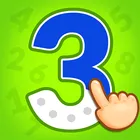
Letters Piñata asks players to find a target letter among the shapes scattered on screen. The letters are now draggable, which makes them easier to read and easier for small fingers to grab, and the game shows which letter you are meant to collect. That one instruction keeps young learners oriented without an adult having to read the screen for them.
Signing In And Creating An Account
The login screen handles both ends of the journey. Returning families find their account email already waiting, so getting back in takes a moment rather than a detour, while newcomers are walked through setting up an account of their own. Progress stays attached to that account instead of to whichever handset happens to be in hand.
Keeping Sessions Reliable
The current build folds in bug fixes and stability improvements, so lessons open cleanly and sessions are less likely to break in the middle of an activity. Families who return daily get back to where they left off without fuss, and the app carries the same content rating across every device it runs on.
File Information
- Version
- 2.1.12
- Size
- 140.0 MB
- Android
- 8.0+
- File type
- XAPK
- Updated
- Oct 22, 2026
- Package
- com.canticosworld.canticos
- Developer
- Encantos
- Content rating
- Everyone
Screenshots
Frequently Asked Questions
What does a child actually do inside Canticos?
Canticos is an educational app centred on letter recognition. In Letters Piñata, the player is shown which letter to collect, then drags letters around the screen to find that one. The letters themselves are draggable and easier to read, so the activity works for young learners who are still getting to grips with shapes and matching.
Will this install on my older tablet?
The build needs the Android version listed for this app, or a newer device. Handsets below that floor may refuse the install, so check your system version in settings before starting. Anything running a more recent release than the stated requirement should work without issue.
How much free space should I have ready?
Plan for 140.0 MB of storage, plus a little extra room for the installer itself. That is the size of the app once it is on your device, so freeing space comfortably beyond that figure beforehand gives you headroom and avoids a stalled installation.
Which build am I getting?
This is version 2.1.12, dated 2026-10-22. It carries the latest account and Letters Piñata improvements along with general bug fixes and stability work, so you are picking up the most recent state of the app rather than an older release.
Do we need an account to use it?
Yes, the app is built around an account login. The login screen helps first-time visitors create an account, and for returning families it remembers the account email so signing back in is quick. Your progress stays tied to that account rather than to a single device.